For a long time, I assumed I was supposed to find KeyShot easier than Blender.
That's the common perception, after all. KeyShot is often seen as the straightforward rendering tool for product designers, while Blender has a reputation for being complex and overwhelming. One promises quick results. The other seems to require learning an entire universe of concepts before you can accomplish anything useful.
So when I started learning Blender recently, I expected a steep uphill battle.
Instead, I found myself enjoying it.
That realization surprised me because Blender is objectively more complicated. Almost every task seems to expose another layer underneath it. A simple material leads to shader nodes. A texture leads to UV mapping. A logo leads to projection methods and coordinate systems. There always seems to be another rabbit hole waiting.
Yet somehow, it feels easier to learn.
Today, for example, I spent a few hours trying to place a logo on a fog lamp render. It sounded like a simple task. Import a PNG, put it on the model, and move on.
Instead, the logo stretched in strange ways. It appeared in the wrong place. It introduced seams I didn't understand. At one point, I managed to turn the entire housing black while trying to make the logo black.
The task quickly became less about placing a logo and more about understanding how Blender thinks.
That led me to UV mapping, texture projection, mapping nodes, and the relationship between a two-dimensional image and a three-dimensional surface. None of these concepts were new to computer graphics. They were simply concepts I had never needed to learn before.
And that's when I realized something interesting.
For years, I had been placing labels and logos in KeyShot without ever thinking about how they actually worked. I knew the workflow. I knew which buttons to press. But I didn't have a mental model of what was happening underneath.
Blender wasn't making the process more complicated. It was simply exposing the complexity that had always existed.
The more I thought about it, the more it reminded me of my experience with lighting.
I spent a lot of time using KeyShot, but I never really felt comfortable with lighting. I would rotate HDRIs, move pins around, adjust brightness, and experiment endlessly. Sometimes the render improved. Sometimes it got worse. Most of the time, I felt like I was searching rather than understanding.
Blender feels different.
When I place a light in Blender, I can see the light. I can move it, rotate it, scale it, and immediately observe the effect it has on the scene. The relationship between cause and effect feels more obvious.
The same thing happened with the logo.
In KeyShot, I learned how to place labels.
In Blender, I learned how labels work.
That distinction seems small, but I think it matters.
As an industrial designer, I have noticed a similar pattern throughout my career. I enjoy designing products, but I also want to understand how they are manufactured. I enjoy prototyping, but I also want to understand the electronics inside. I enjoy building things, but I often find myself equally interested in understanding how those things work.
Perhaps that's why Blender resonates with me.
Every problem seems to come with an explanation. If something isn't working, there is usually a reason. The challenge is figuring out what that reason is.
Today's lesson started with a logo.
By the end of it, I had learned a little about UV mapping, a little about texture projection, and a little about how computer graphics software thinks.
More importantly, I learned something about myself.
I don't necessarily find easier tools easier to learn.
I find transparent tools easier to learn.
And sometimes, the software that reveals more complexity ends up being the one that teaches the most.
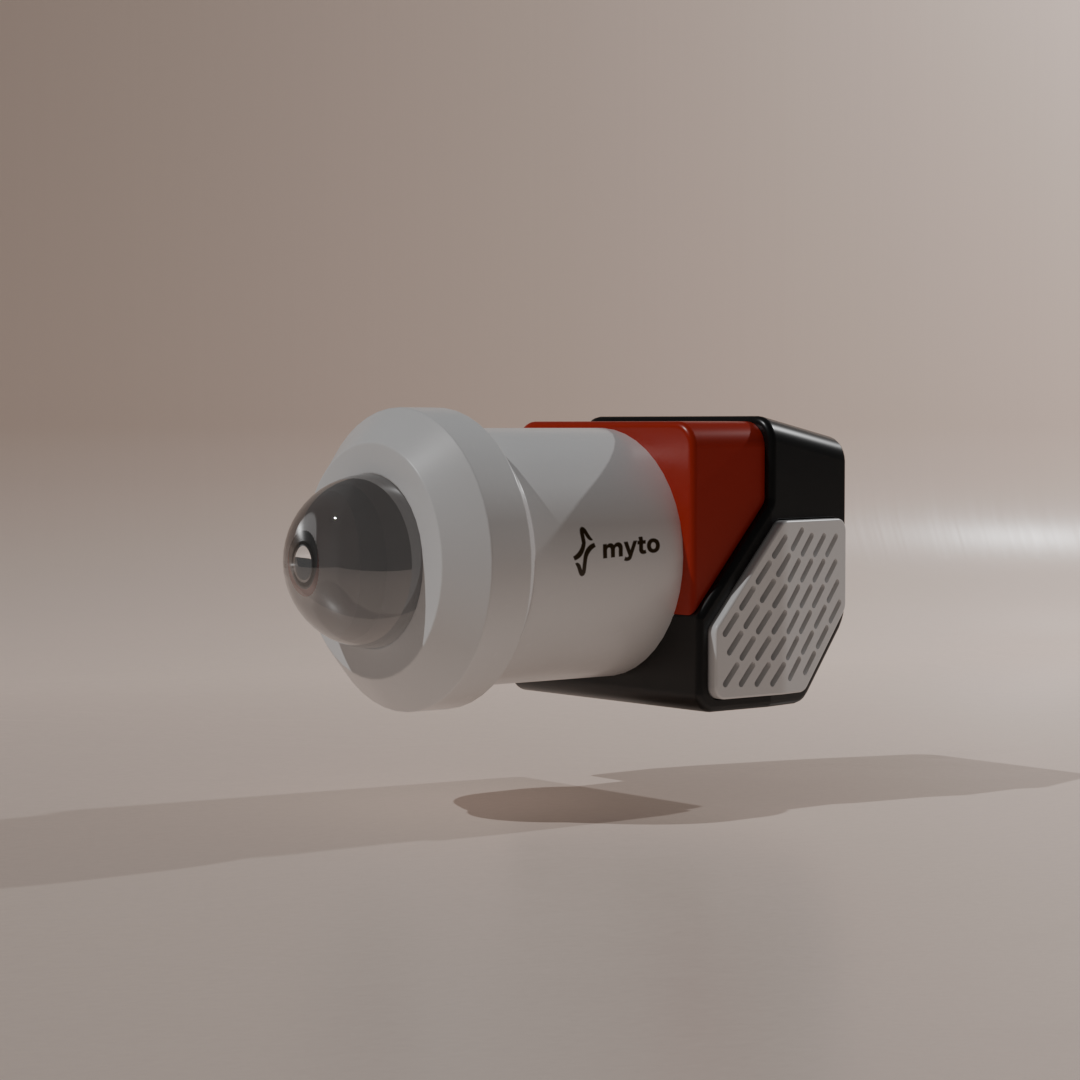
The render itself isn't particularly remarkable. It's a simple fog lamp housing with a logo applied to the side. But it represents a few hours spent learning things I never had to think about before: texture projection, UV mapping, and the relationship between a flat image and a curved surface.
A strange detail I discovered along the way
Somewhere in the middle of all this, I ended up on Blender's Wikipedia page. I was curious about how a piece of software this capable came to exist in the first place.
That's when I learned that Blender's founder, Ton Roosendaal, originally studied industrial design and went on to co-found a 3D animation studio in the early 1990s called NeoGeo. For some reason, that fact completely changed how I looked at Blender.
Maybe it's because I had unconsciously assumed Blender was built by software engineers for software engineers. Instead, one of the people behind it came from a design background and was trying to solve creative problems.
It's a small detail, but I found it strangely fascinating. Here I was, an industrial designer trying to learn Blender, only to discover that the person who started the project had also begun their journey in industrial design.