Pomo — A Pomodoro Timer
I wanted a Pomodoro timer that didn't ask me to sign up, download anything, or sit in a sidebar I'd eventually close. So I built one with Flutter — compiles to the web, runs in a browser tab, and beeps when your session ends.
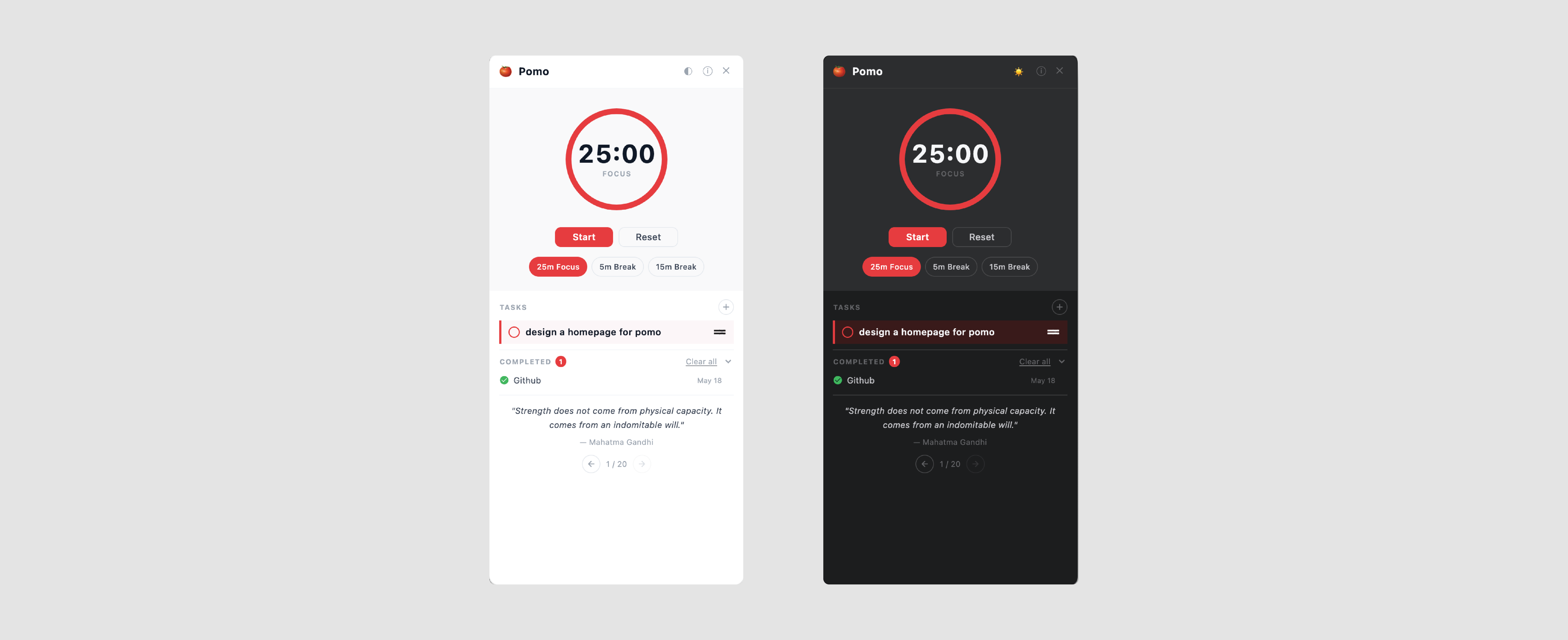
Most Pomodoro apps are either bloated productivity suites or web apps that need an account. I just needed a 25-minute timer with a beep. Flutter was an excuse to learn Dart properly — and compiling to web meant it could run anywhere without an install.
The UI is intentionally quiet. One large timer, one button. The session counter sits below so you know how deep into your day you are without it being the main event. Color shifts slightly between work and break modes — enough to register without demanding attention. Typography does most of the work.
Flutter's web target has its own quirks — audio playback, font rendering, and how the widget tree maps to the DOM all behave differently from native. Most of the debugging time went into audio: getting the end-of-session beep to fire reliably across browsers without autoplay blocking it. The Dart side was clean to write once I got past the initial learning curve.
Try it
annu.me/pomo →Runs in the browser. No install required — bookmark it and it's yours.